
About | Download | Newsletter | System requirements | Purchase | Documentation | Version History | License agreement | Customers
About
JTB Steel is an app running inside AutoCAD®, adding powerful command features to help you draw simple and complex steelwork frames and details efficiently.
You can select and insert Steel Sections from JTB Steel library to AutoCAD® drawing just as inserting blocks. You can draw Steel Frames just as drawing lines by 2 pickpoints. All created drawing objects are either blocks or dynamic blocks. Once Steel members are inserted, you can edit these using powerful editing commands located on Tools Palette.
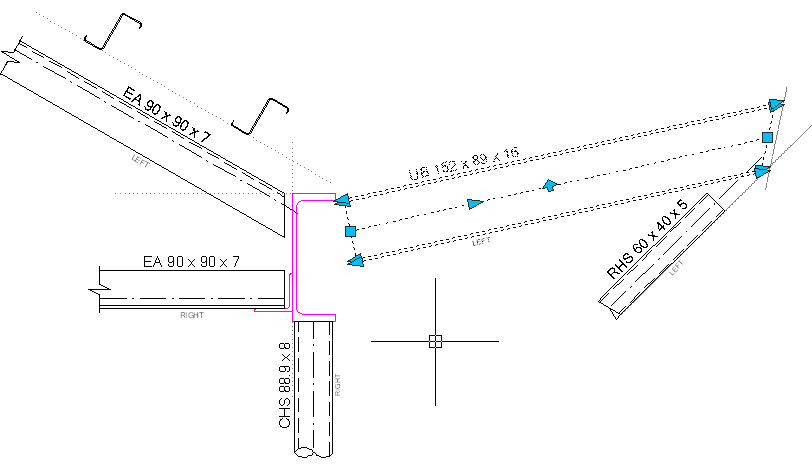
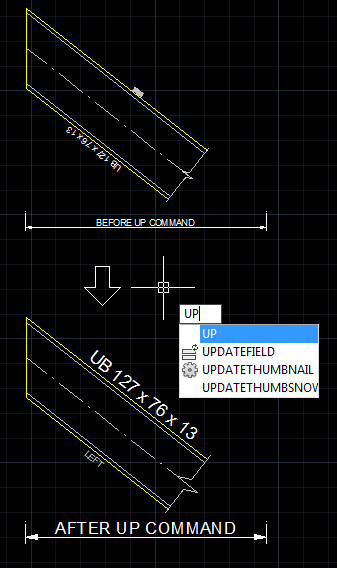
JTB Steel includes advanced automation techniques for modifying dynamic blocks. This means that you can easily manage your drawings and quickly finalize your details. The below example was fully created using JTB Steel (this includes any alignment, rotation etc):
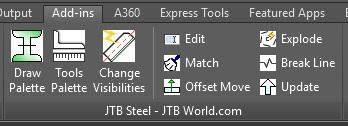
JTB Steel on the AutoCAD Plug-ins/Add-ins menu
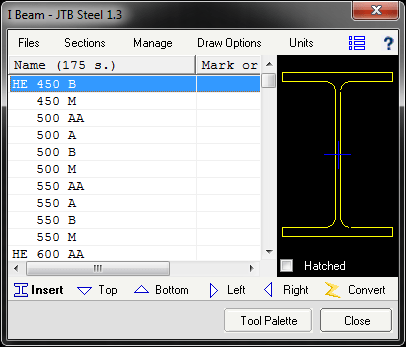
The Drawing Palette
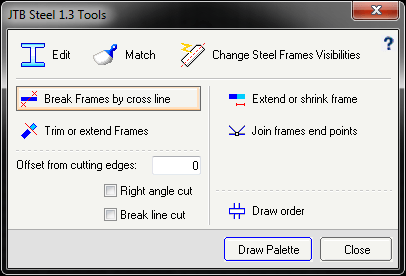
Tool palette
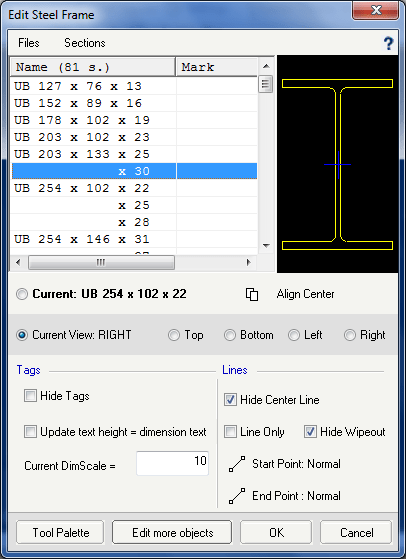
Edit Steel Frame
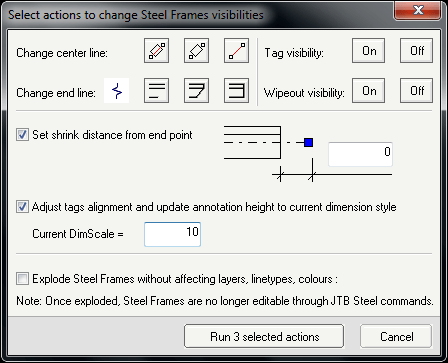
Change Steel Frame(s) Visibilities
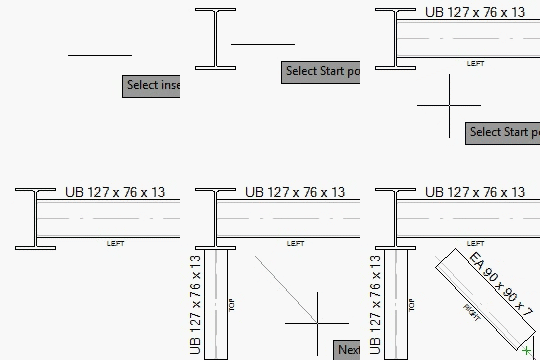
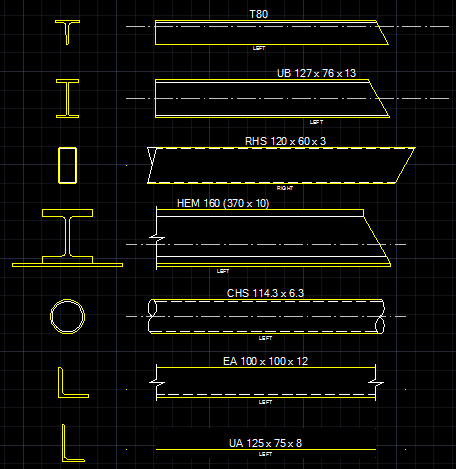
Quickly insert sections and frames
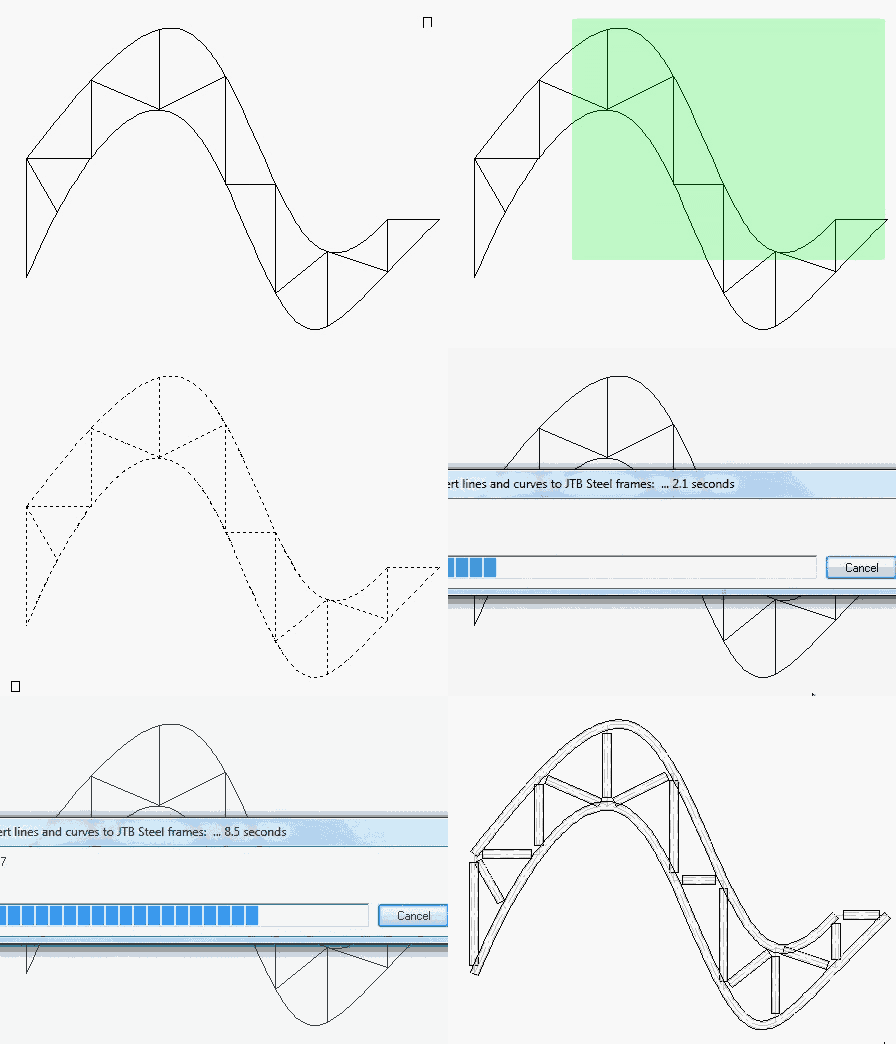
Easily convert lines and curves to steel frames
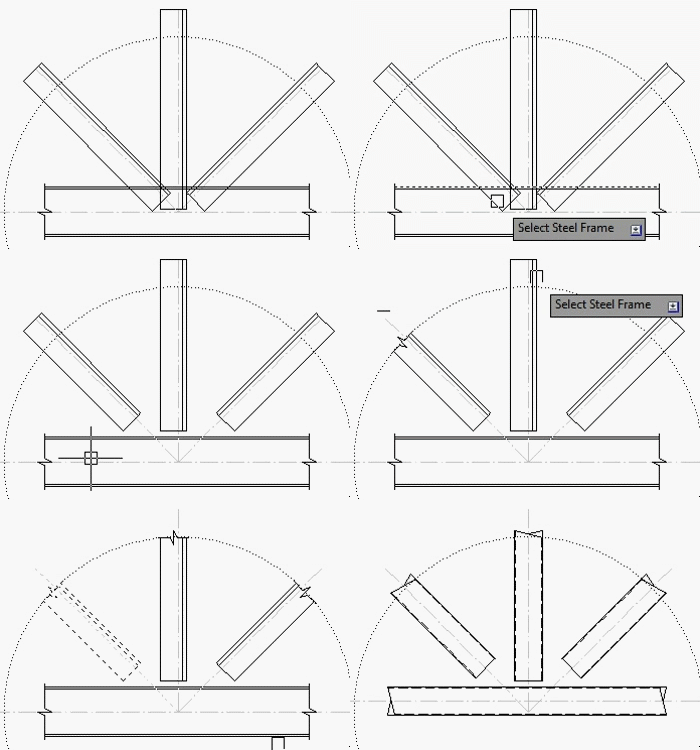
Easily edit sections and frames
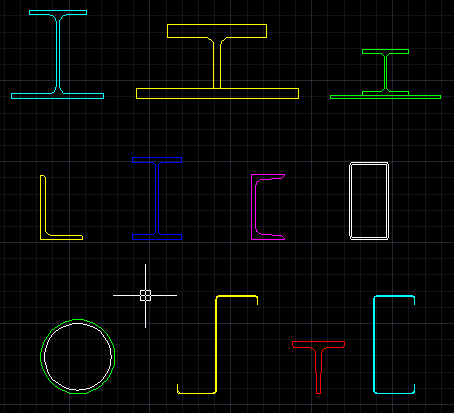
Various types of sections are available and can be shown in any color or linetype.
More images


Libraries are available:
Australian (CHS, Equal Angles, PFC, RHS, SHS, TFB & UBP, UB, UC, Unequal Angles, WB and WC)
Canadian (W Shapes, S Shapes, M Shapes, HP Shapes, WWF (Welded wide-flange shapes), WRF (Welded reduced-flange shapes), SLB Super light beams, Angle, Channel C Shapes, Channel MC Shapes, HA - Rectangular Hollow Sections - ASTM, HA - Round Hollow Sections - ASTM, HA - Square Hollow Sections - ASTM, HSS - Rectangular Hollow Sections - CSA, HSS - Round Hollow Sections - CSA, HSS - Square Hollow Sections - CSA, T Shapes - WT and T Shapes - WWT)
European (HD wide flange columns, HE European wide flange beams, HL European extra wide flange beams, HP wide flange bearing piles, IFB beams, IPE European I Beams, IPN European Standard Beams, Joists with tapper flanges, L Equal leg angles, L Unequal angles, SFB beams, T Equal flange tees, U Channel with tapper angle, UPE Channels with parallel flanges and UPN Eurpean standard channels)
Japanese (H - JIS)
Russian (HG - GOST)
Taiwan (CNS sections, H Shape, I Shape, T Shape, Channel, L Equal Angle, Cold Form Channel, Pipe, SHS, RHS)
UK (UB - Advance UK Universal Beams, UC - Advance UK Universal Columns, UBP - Advance UK Universal Bearing Piles, PFC - Advance UK Parallel Channels, CH British channels with tapper flanges, EA - Advance UKA - Equal, UA - Advance - Unequal, ASB, SFB - Slimflor Beams, Square Hollow Sections, Rectangular Hollow Sections, Circular Hollow Sections, T-Split from UB, T-Split from UC and Bristish Joist with taper flanges)
US Imperial (AISC: W Shapes, S Shapes, M Shapes, HP Shapes, Angle L Shapes, Box - HSS, Channel C Shapes, Channel MC Shapes, Pipe - HSS, Pipes, T Shapes - MT, T Shapes - ST and T Shapes - WT)
US Metric (AISC: W Shapes, S Shapes, M Shapes, HP Shapes, Angle L Shapes, Box - HSS, Channel C Shapes, Channel MC Shapes, Pipe - HSS, Pipes, T Shapes - MT, T Shapes - ST and T Shapes - WT)
Z and C purlins
JTB Steel is for 2D design only. No 3D available.
Download
JTB Steel trial license is limited to 30 minutes running time which restarts each time AutoCAD is restarted. It is also limited to drawing file size of maximum 500 objects. Once the above limitations are reached, some features are disabled until the software is purchased and fully activated. Support is available during the trial as well as after purchase.
JTB Steel can be downloaded on Autodesk App Store or here: JTB_Steel_2.1.0.zip.

This will install a Plug-Ins/Add-ins Ribbon tab panel in AutoCAD 2012 and newer versions as well as verticals.
System requirements
Operating system - Windows11, Windows 10, Windows 8.1, Windows 8, Windows 7. Both 32-bit and 64-bit. Windows Vista and Windows XP might be supported upon request.
Compatible with AutoCAD versions (2007 and up to AutoCAD 2026). Works with all flavors/verticals based on AutoCAD like AutoCAD Architecture (ACA), AutoCAD Civil 3D, AutoCAD Electrical , AutoCAD Map 3D, AutoCAD Mechanical, AutoCAD MEP (AMEP, ABS), AutoCAD P&ID, AutoCAD Plant 3D, Autodesk Advance Steel.
Contact us if support for other CAD software is needed like BricsCAD.
JTB World is an Autodesk Authorised Developer

Purchase
New license: 95 USD for one license or less depending on the quantity of licenses. Support and upgrades is included for versions released within 1 year after purchase. If Auto-Renewal is selected it is 29 USD per year and can be cancelled at anytime.
Upgrade license: 29 USD for 1 year for one license or less depending on the quantity of licenses. If Auto-Renewal is selected it is 29 USD per two years and can be cancelled at anytime.
Upgrade license: 48 USD for 2 years for one license or less depending on the quantity of licenses. If Auto-Renewal is selected it is 48 USD per two years and can be cancelled at anytime.
Once you have purchased a license, follow the instructions and email to JTB World for the license activation key. See activation instructions here: JTB World Apps Licensing.
If you have really many users that you want to give access to this software we can discuss a discounted price based on your particular situation. Educational discounts available.
The license is perpetual. If you have more than one computer and you are the only user of the application one license is enough.
The network license manager is available at no extra cost and normally most useful for companies with quite many licenses.
If your US company is tax exempt contact us directly.
2Checkout (Verifone) supports 45+ online and offline payment methods globally, but availability depends on shopper country, currency.
Main families of payment methods
-
Credit/debit cards (global core): Visa, Visa Electron, MasterCard, Maestro, Eurocard, American Express, Discover/Novus, JCB, UnionPay, plus domestic Visa/MasterCard variants in markets like Brazil and Turkey.
-
Local/regional cards: Dankort/VISA (Denmark), Bancontact (Belgium), Postepay (Italy), CB/Carte Bancaire (France), local Turkish and Brazilian cards, and other regional card schemes.
-
Digital wallets: PayPal, PayPal Express, Google Pay, Apple Pay, Alipay, WeChat Pay, MobilePay (DK), Vipps (NO), and others like Skrill, Neteller, Qiwi, WebMoney, Trustly depending on region.
-
Bank transfer & offline: Local and international bank/wire transfer (US, DE, UK, rest of world), SEPA-type transfers in EU, purchase orders, and additional local bank transfer rails in EMEA/APAC.
Documentation
Click here to see the documentation.
See activation instructions here: JTB World Apps Licensing.
Known Issues
- Steel Frame with wipeout on is not working properly in AutoCAD 2019. Hope we can have a fix for this soon in the near future. (Fixed in AutoCAD 2019.0.1 Update)
- JTB Steel UI get wrong if Windows display scaling is set to a value other than 100%.
- In Win32, when no VBA installed, Draw and Tool palette are shown as modal dialog windows.
- In Window 64-bit, this 32-bit software runs slower. While any modal dialog is active, please don't click to AutoCAD screen. Minimize all other application windows is also recommended.
- In Win32 bit, AutoCAD 2013, if VBA installed, an error beep sound invokes after AutoCAD shut down.
Version History
- 2025-03-25 - version 2.1.0
- Added Autodesk AutoCAD 2026 support.
- 2024-12-27 - version 2.0.0
- Added Autodesk AutoCAD 2025 support.
- 2023-07-27 - version 1.9.0
- Added Autodesk AutoCAD 2024 support.
- 2022-04-25 - version 1.8.0
- Added Autodesk AutoCAD 2023 support.
- 2021-04-13 - version 1.7.2
- Added support for AutoCAD 2022
- 2020-07-25 - version 1.7.1
- Upgraded to License 4.3
- 2020-05-09 - version 1.7.0
- Added support for AutoCAD 2021
- Fixed display scaling issue
- 2019-03-28 - version 1.6.1
- Added support for AutoCAD 2020
- Updated installer
- 2018-03-29 - version 1.6
- UI fixes
- Added support for AutoCAD 2019
- Network licensing added
- Fixed issue where the frame tag/frame view layers get switched
- Add Australian member schedule files. Enhance the section list to show member schedule.
- Resolve button error in Windows 10 update.
- 2017-04-02 - version 1.4
- Added support for AutoCAD 2018.
- Option to change color of hollow section's inner line
- 2017-02-07 - version 1.3.1
- Fixed US Metric ST section: flange slope column missing
- Added Japanese sections, Russian sections and Taiwan CNS sections
- 2016-09-19 - version 1.3 update
- Fixed some spelling errors (no version number change)
- 2016-05-03 - version 1.3
- Add hatched property to steel sections
- Fix issue in AutoCAD 2015, 2016, Windows 64 bit: error when changing steel frame section.
- Added support for AutoCAD® 2017
- Minor fixes
- 2015-05-26 - version 1.2.1
- Fixed an issue related to Windows XP
- 2015-04-13 - version 1.2
- Added support for all Windows Region and Language settings
- 2015-03-22 - version 1.1
- Added support for AutoCAD 2016
- 2015-03-09 - version 1.0
- First release
License agreement
The license agreement is found here.
Customers
Acier Charron Ltée
Block Berge Bygg
Capital Studio Architects
K.D.Leach Limited
Pankow
Progressive Design
Excavation René St-Pierre inc.
Contact us for any questions, wishes or comments.